
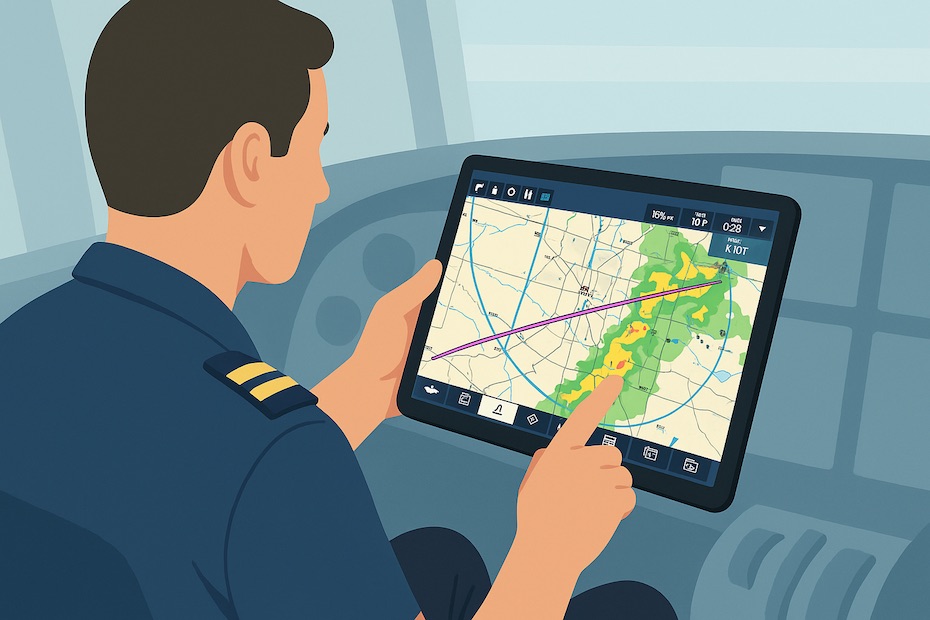
You can harness Garmin Pilot effectively by mastering its most powerful features—widgets, NavTrack, chart automation, traffic filtering, and weather minimums—that streamline cockpit workload and sharpen decision-making.
Garmin Pilot is more than just an electronic flight bag (EFB). It’s a complete cockpit companion that evolves with your flying experience. This article gives you the professional-level strategies you need to implement Garmin Pilot’s advanced features with confidence, ensuring you operate smarter, safer, and more efficiently.
What makes Garmin Pilot a complete cockpit solution?
Garmin Pilot consolidates nearly every preflight, in-flight, and post-flight task into a single, synchronized platform. You gain integrated access to flight planning, navigation, real-time weather, NOTAMs, traffic overlays, performance data, and logbook management.
The app is designed to scale with your needs. Whether you’re flying VFR in a small piston aircraft or managing complex IFR operations, Garmin Pilot ensures the tools remain relevant. Its seamless integration with Garmin avionics, ADS-B receivers, and the web-based platform means you’re not tied to a single device.
This unification reduces redundancy, eliminates manual cross-checking, and creates one central source of truth for your flight planning and execution. In short, Garmin Pilot turns fragmented workflows into a cohesive cockpit environment.
How do widgets and NavTrack streamline planning?
Widgets are one of Garmin Pilot’s most efficient planning tools. They display METARs, TAFs, MOS forecasts, NOTAMs, and PIREPs along your route, eliminating the need to pull data manually. NavTrack complements widgets by graphically showing trends for each airport, letting you scan conditions visually as you plan or adjust mid-flight.
This feature is invaluable in fast-moving weather environments. Instead of toggling between separate screens or refreshing static data, you have real-time, airport-specific snapshots at your fingertips. It allows you to anticipate changes, re-route proactively, and keep alternate airports in mind.
For an executive-level pilot, this is about time management as much as situational awareness. You’re reducing mental workload by letting the app surface what matters, when it matters, without clutter.
What chart features reduce preflight workload?
One of Garmin Pilot’s most overlooked strengths is chart automation. The app automatically compiles all the chart books you need for your flight plan, including alternates and en route airports. SafeTaxi diagrams also load automatically on arrival when enabled, giving you situational awareness on the ground.
This eliminates the risk of missing a required chart, especially during high-tempo operations. Instead of building manual chart folders, you rely on Garmin Pilot to prepare the complete package every time.
The automation is especially valuable during diversions. If you add a new alternate inflight, the app immediately fetches the relevant charts. That means no scrambling and no gaps in your information.
How does GPS traffic tracking improve situational awareness?
Garmin Pilot’s traffic tools leverage ADS-B to deliver more than dots on a map. The split-screen traffic view shows separation data, while TargetTrend vectors display relative movement—helping you judge threats intuitively.
The breadcrumb feature adds context by showing where targets have been, not just where they are. Combined with altitude filters and relative range settings, you can declutter your display and prioritize aircraft that actually matter.
This is a safety multiplier. In busy airspace, cluttered traffic screens create distraction. By filtering and vectoring intelligently, Garmin Pilot gives you a clear operational picture you can act on instantly.
How to manage map layers and avoid confusion?
Garmin Pilot supports numerous map layers, from terrain to weather radar and satellite imagery. The strength lies in its smart auto-selection. The app automatically optimizes which layers display together, ensuring you don’t overlap conflicting visuals.
If you override manually, Garmin Pilot flags poor combinations so you don’t miss critical information. This balance between automation and manual control ensures situational awareness without overwhelming you.
As a pilot, you know information overload can be as dangerous as information gaps. Garmin Pilot’s map logic helps you strike that balance every time you configure your display.
What are advanced functionalities hidden in the app?
Several lesser-known features add real value when mastered:
- Garmin Pilot Web: Allows you to plan from your desktop, sync with your mobile device, and manage aircraft profiles remotely.
- Personal weather minimums: Alerts you when forecast conditions dip below thresholds you’ve preset, making your decision-making consistent with your own operational standards.
- Trip Planning Sync: Automatically shares routes and aircraft profiles across multiple pilots if you’re part of a team.
- Logbook integration: Logs flight time automatically from GPS tracks, reducing paperwork and ensuring accuracy.
Each of these features reflects Garmin Pilot’s philosophy: simplify tasks that distract you from flying while reinforcing standardized, safety-oriented workflows.
Why does Garmin Pilot matter for both new and experienced pilots?
For newer aviators, Garmin Pilot reduces the cognitive burden of learning to manage multiple systems. With one integrated platform, you avoid the “tech stack confusion” of piecing together weather apps, chart systems, and traffic tools.
For experienced pilots, Garmin Pilot goes beyond convenience—it’s about precision. Features like traffic filtering, personal minimums, and NavTrack provide situational awareness that reduces risk and enhances efficiency.
The scalability is what sets Garmin Pilot apart. You can start with basic VFR functions and gradually expand into advanced IFR planning, ADS-B integration, and web synchronization without needing to switch platforms.
Key pro features every pilot should master
After extensive use and analysis, these are the Garmin Pilot tools you should prioritize:
- Widgets + NavTrack for real-time route weather monitoring.
- Automated chart books and SafeTaxi diagrams for every phase of flight.
- ADS-B traffic with TargetTrend vectors and breadcrumbs for precise separation management.
- Map auto-selection logic with override alerts to prevent confusion.
- Web-based planning sync for desk-to-cockpit continuity.
- Personal weather minimums to align forecasts with your operational standards.
- Automatic logbook tracking tied directly to GPS activity.
By mastering these, you optimize your time in the cockpit, reduce distractions, and enhance safety margins.
Key Garmin Pilot Shortcuts Every Pilot Needs
- Use widgets and NavTrack for live weather.
- Automate chart books and SafeTaxi diagrams.
- Filter traffic with TargetTrend and breadcrumbs.
- Sync with Garmin Pilot Web for preflight planning.
In Conclusion
Garmin Pilot is more than a digital logbook or navigation app—it’s a fully integrated cockpit system. By implementing its advanced features strategically, you reduce workload, enhance safety, and manage your flying with the same efficiency you expect from any professional-grade tool. Whether you’re flying piston singles or managing turbine operations, mastering Garmin Pilot is one of the smartest investments you can make in your aviation proficiency.
Want to stay updated on more aviation tools, tips, and pro flying strategies? Connect with me on Facebook for more insights and updates.

Jared Ailstock is Managing Partner at AIP Capital with over 15 years of experience in aviation finance and investment. He specializes in global aviation strategy, asset-backed transactions, and sustainable growth across the aerospace industry.