
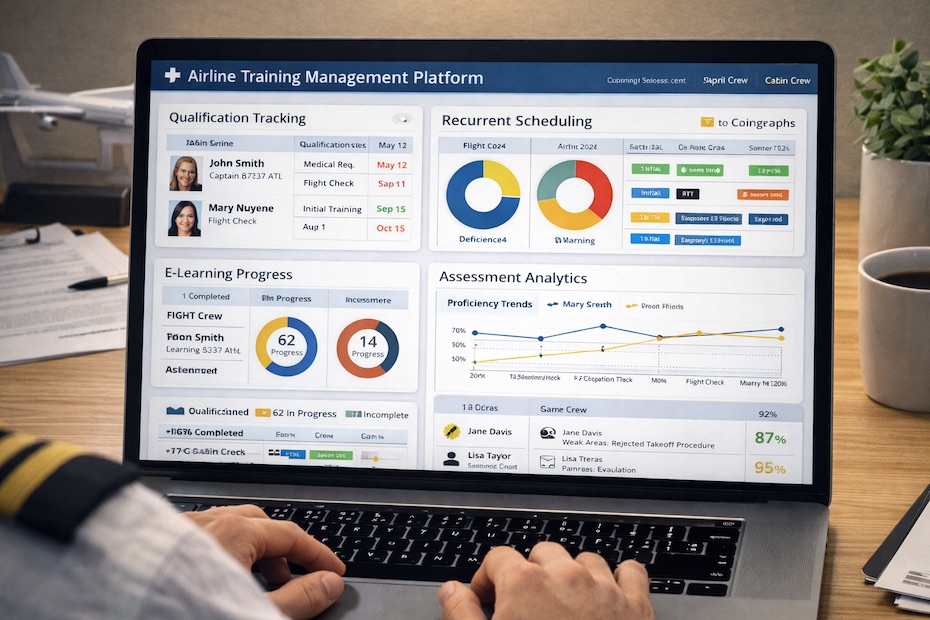
Flight crew training teams get the best results when software covers the full chain: regulated records + qualification tracking + scheduling + mobile/offline learning + assessments + analytics—and, when needed, high‑fidelity simulation support.
This guide ranks seven proven platforms used across airline and training-organization environments and shows how to match each one to your operation, whether you run Part 121/135 programs, an ATO, a cabin crew academy, or a blended sim + ground school footprint. You’ll also get a buyer-grade checklist, practical rollout steps, and selection traps that still burn good training departments.
1. CAE Pelesys TMDS (Training Management & Deployment System): best “all-in-one” enterprise suite for airlines
If you want one platform to manage training end-to-end, CAE Pelesys TMDS is built for that job: training management plus e-learning deployment, electronic training records, qualification management, exams, and scheduling in one modular suite. You’re buying a system designed around airline training departments that live inside recurrent cycles, roles/aircraft variants, instructor standardization, and audit-ready outputs—not a generic corporate LMS with an aviation skin.
Where TMDS earns its keep is how the modules connect. Your training scheduling ties directly to enrollments, your exams and electronic grade forms feed training history, and your qualification rules can drive who gets scheduled and when. That closed loop reduces the “spreadsheet glue” work that quietly consumes training admin teams every week.
Operationally, this is the platform category that supports large-scale standardization across fleets and bases. It also speaks the language of offline training workflows (critical for crews on the move) and enterprise integration, so you can connect to crew rostering, HR, or other systems rather than forcing duplicate data entry.
2. CAE Rise™: best for data-driven grading, instructor standardization, and competency-based training programs
CAE Rise targets a problem most departments underestimate until it shows up in trend data: inconsistent grading and uneven instructor calibration. Rise is built around metrics-based insights, real-time access to evaluation data, and reducing grading bias through more objective maneuver and task assessment. If your program is moving toward competency-based assessment and you want training analytics you can defend in internal reviews, this is one of the most purpose-built options available.
Where it fits best is inside recurrent and advanced programs where you already have evaluation events, maneuvers, and standards that must hold across instructors and sites. Rise supports standardized evaluations and trend monitoring over time, which helps training leadership spot patterns: repeated weak areas in SOP adherence, drift in evaluation strictness between instructor groups, or training tasks that consume time without improving proficiency.
In day-to-day use, the win is speed and clarity. Instructors spend less time on admin work and more time coaching to observable performance gaps. When a chief pilot or training manager asks “show the data,” you can respond with more than anecdotes and pass rates.
3. CPaT Global LMS (CPaT Access): best for distributed e-learning with offline mobile use and qualification tracking
If your immediate priority is scalable, crew-friendly e-learning delivery with strong admin controls, CPaT’s LMS is a practical workhorse. It’s positioned to reduce time away from base and supports training across devices, including offline access via a mobile app that syncs progress back to the LMS when connectivity returns.
This matters more than most buyers admit. Cabin crew and flight crew don’t learn at desks with stable Wi‑Fi. They learn in hotel rooms, commuting, on reserve, and between trips. Offline capability and reliable syncing cut down “I couldn’t access the course” tickets and reduce completion churn that forces your team into manual extensions.
CPaT also highlights qualifications tracking and management, notifications, dynamic exams, and integration capability with third-party LMS/TMS via API. That combination makes it a strong fit when you want a focused learning delivery layer that still plays well with an existing enterprise training management system.
4. MINT TMS: best for scheduling automation, recurrent compliance, and single-source training records
When training departments struggle, it’s often not because content is weak. It’s because scheduling, expiries, and records sprawl become unmanageable at scale. MINT TMS is designed to act as a single system that ties online and in-person events together, stores training history, and helps forecast training volume based on upcoming expirations.
The operational advantage is automation around who must be scheduled into what, and when. You reduce preventable “compliance scrambles” by letting the system surface upcoming expiry-driven demand early enough to plan instructors, classrooms, devices, and sessions. MINT also calls out workflow flexibility—useful if your operation has local rules layered on top of regulatory requirements and company policy.
For cabin crew and flight attendant teams, MINT positions itself around the realities of recurrent cycles, blended delivery, and the cost of mistakes. You’re buying less chaos: fewer missed notifications, fewer last-minute seat swaps, and fewer manual reconciliations between LMS completion data and training history.
5. Avsoft eLearning + Portable Classroom App: best for aircraft systems and general subjects (including cabin crew DGR recurrent)
Avsoft is widely used for aviation e-learning courseware, and it’s particularly strong when your program needs well-structured general subjects that still work in crew reality: mixed devices, inconsistent connectivity, and strict completion documentation. Avsoft has published cabin-crew-focused content like Dangerous Goods (DGR) Category 11 recurrent training and supports delivery on browsers plus an offline-capable app (“Portable Classroom”) for tablets.
The practical point: regulated topics like DGR can’t be treated as “just another CBT.” You need controlled content, a reliable test and certificate output, and straightforward proof of completion. Avsoft’s approach—course + test + completion certificate generation—fits how many operators document recurrent compliance training.
This is also a strong choice when you want a stable library approach and don’t want your team authoring every systems module internally. Your instructors can focus their time on standardization, coaching, and scenario-based discussions instead of rebuilding baseline content every cycle.
6. FlyLMS: best for smaller flight schools, GA training programs, and instructor-student training management
If you operate outside the big-airline mold—especially in general aviation, independent academies, or smaller programs—FlyLMS fits a different need: keeping instructors and students aligned on syllabus progress, lesson content, completions, and checkride readiness.
The platform emphasizes syllabus-driven training plans, progress visibility, instructor notes, and integrated learning materials. That structure helps reduce rework and “where did we leave off?” friction, which is a common failure point in part-time student schedules and instructor handoffs.
This is not an airline enterprise TMS replacement. It earns its value where training is personal, lesson-based, and syllabus-managed, and where you want a clean digital record of task completion and instructor debrief notes that stays accessible on a tablet.
7. Skill Lake (Aviation LMS): best for fast-deploy LMS needs and role-based access across aviation staff groups
When you need a learning platform that supports aviation teams broadly—ground staff, air crew, and mixed operational roles—Skill Lake positions itself as an aviation LMS with quick deployment options (cloud or private server), role-based controls, mobile access, and granular progress tracking.
This category can be a practical middle ground when your organization wants a clean LMS layer without committing to a heavier enterprise training suite. The selling point is speed to deploy and ease of use, paired with typical LMS necessities: access control, dashboards, and progress reporting.
Use this kind of platform when the training operation spans multiple staff groups and you want consistent learning delivery and tracking without overcomplicating the stack. It’s also a reasonable fit when IT requirements push you toward private hosting or specific security and SSO setups.
What questions should you ask before choosing flight crew training software?
You should lock selection criteria before vendor demos so you control the process instead of letting feature tours drive the decision.
Start with regulatory recordkeeping and auditability. Under FAA rules, certain training records can be maintained electronically, and computerized entries can identify the certifying instructor without requiring a handwritten signature in that entry. Your system still must protect integrity, traceability, and retrieval speed during audits, and it must store the details your inspector asks for without a manual scavenger hunt.
Then map your training footprint: fleets, seats, roles (captain/FO, cabin crew positions, dispatcher where relevant), and training types (ground, sim, OE/IOE, line checks, recurrent, special quals). A platform that looks perfect for CBT delivery can still fail if it can’t manage qualifications logic or connect scheduling to expiries.
Also pressure-test offline workflows. If your software can’t deliver training and capture completions on mobile with reliable syncing, your completion data becomes noisy, and your training coordinators become human middleware. That cost shows up as overtime, rushed makeups, and avoidable compliance stress.
What features matter most for airline-grade training and compliance tracking?
Airline-grade training software is defined less by UI and more by control, evidence, and automation.
You need qualification management that reflects real rules: validity periods, prerequisites, equivalencies, grace windows, and how training applies across aircraft variants. You also need electronic training records that store completions, evaluator identity, dates, and artifacts (grade sheets, exam results, and references to training materials) in a way you can export and defend.
Scheduling is the silent killer feature. Strong platforms connect expiries to demand forecasting and resource planning: instructors, classrooms, devices, simulators/FTDs, and seats. If scheduling is bolted on or handled outside the system, training managers spend each month reconciling rosters, completions, and last-minute swaps.
Finally, analytics must be actionable. Pass rates alone are weak signals. Strong tools help you see trends in task performance, repeat weak areas, instructor standardization gaps, and where time in training fails to produce proficiency.
How do you evaluate e-learning and mobile/offline training for crews who travel?
Crew training lives in unstable conditions: airport Wi‑Fi, hotel networks, and devices with varying configurations. Your evaluation has to match that reality.
Mobile/offline capability must be more than “there’s an app.” You need clear answers on what works offline (content viewing, quizzes, exams), what syncs back (timestamps, attempts, scores, comments), and how conflicts resolve when a device reconnects. Ask how the platform handles partially completed modules, reattempt rules, and admin-side visibility when connectivity is intermittent.
Also test the learner experience with real crew profiles. Reserve lines, mixed time zones, and limited study windows punish clunky navigation and long load times. Your best indicator is support ticket volume during a pilot rollout and completion rate without coordinator intervention.
Content governance matters too. When content changes for manuals, SOP updates, or regulatory refreshes, you need version control, forced acknowledgements where appropriate, and clean reporting on who completed which version.
How does training management software reduce cost without lowering training standards?
Cost comes down when the system reduces non-training work and prevents avoidable retraining events.
Scheduling automation cuts expensive chaos: fewer last-minute rebooks, fewer instructor idle blocks, fewer “we missed that expiry” emergencies, and fewer cancellations that waste travel and hotel spend. Qualification logic prevents redundant training when equivalencies apply and flags only what truly needs completion.
A solid records system also reduces audit prep time. Training departments burn weeks pulling data for audits, internal reviews, and management requests when records are split across tools. A single source of truth with exportable reports lowers that labor cost without touching training quality.
Data-driven assessment tools can reduce unnecessary training events by targeting the real weakness. When performance data shows that a group consistently struggles on a specific maneuver or SOP item, your team can adjust briefings, scenarios, or instructor calibration instead of adding blanket hours.
How do you implement new flight crew training software without disrupting recurrent cycles?
Implementation succeeds when you stage it around your recurrent calendar and protect continuity of records.
Start with a records and rules workshop before any content migration. Define your qualification schema, validity logic, required artifacts, and reporting outputs. Build those first, then migrate a controlled slice of historical records that you actually need for current validity and trend reporting.
Run a pilot with one fleet or one base, and include the people who handle the messy work: training coordinators, instructors, and check airmen. Track support tickets, completion failures, and scheduling exceptions. Those are your real acceptance tests, not whether a demo looked smooth.
Keep parallel reporting during the cutover window. You need a period where the old system and the new system outputs are reconciled so you can prove data integrity. Once the new system produces consistent records and predictable scheduling outcomes, lock down the old workflows and remove duplicate data entry.
Best software for flight crew training
- CAE Pelesys TMDS
- CAE Rise
- CPaT Global LMS
- MINT TMS
- Avsoft eLearning
- FlyLMS
- Skill Lake
Put your training stack on rails, not on spreadsheets
You get the best results when training software matches your operational reality: regulated records, recurrent expiries, scheduling constraints, and crews who learn on the move. Enterprise teams usually win with an integrated TMS + records + scheduling backbone, then add specialized analytics or courseware where it pays back. Smaller programs win by prioritizing syllabus execution, instructor notes, and clean completion tracking over heavyweight enterprise features. Pick the platform that reduces manual coordination first, then optimize content and analytics once the system runs cleanly month after month.

Jared Ailstock is Managing Partner at AIP Capital with over 15 years of experience in aviation finance and investment. He specializes in global aviation strategy, asset-backed transactions, and sustainable growth across the aerospace industry.