
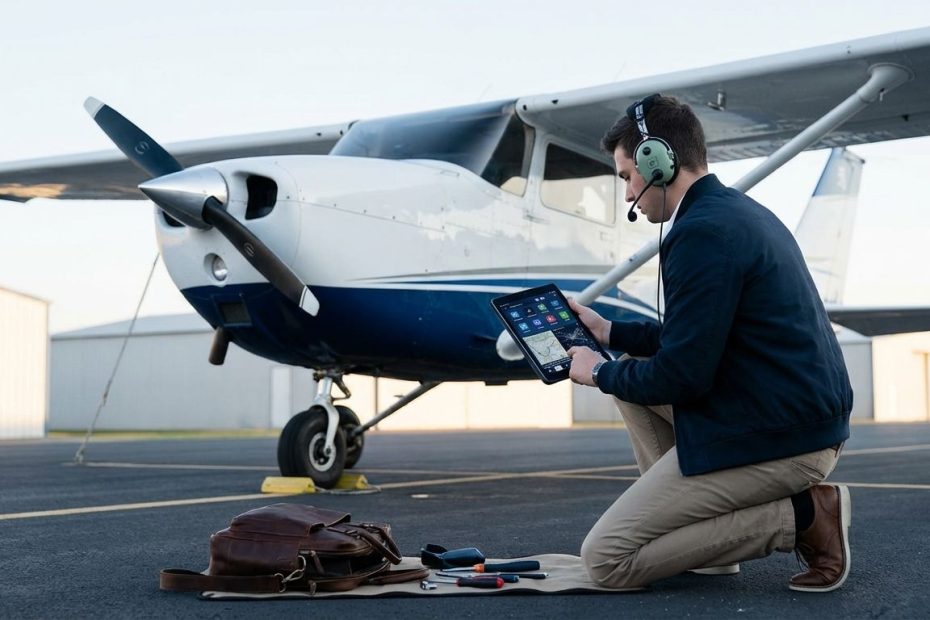
You don’t need dozens of aviation apps to train well, you need a tight set that covers planning, learning, radio work, and flight math without creating cockpit distraction. If training stays organized and repeatable, progress speeds up, and these five apps support that outcome.
This guide breaks down the apps that earn a permanent spot on a student pilot’s iPad or phone, plus how to use each one in a training workflow that instructors respect. You’ll also get practical buying guidance, phase-based setup advice, and a simple way to keep redundancy without paying twice for the same capability.
The stack below targets the realities of student flying: short lessons, rapid skill building, frequent schedule changes, checkride standards, and the need to stay ahead of your instructor rather than catch up after each lesson.
App 1: ForeFlight Or Garmin Pilot As Your Primary EFB
Your Electronic Flight Bag (EFB) becomes the center of gravity for preflight planning, weather, charts, and day-to-day training organization. That makes it the one app category that can save you the most time while also preventing avoidable errors, especially once cross-countries and controlled airspace become routine. A good EFB keeps you consistent with checklists, standardizes your briefing habits, and reduces the “where did that frequency go” scramble that steals mental bandwidth.
ForeFlight is the default standard in many U.S. training environments, largely because instructors and flight schools already teach around it and many training materials assume it. Garmin Pilot stays highly relevant when you’re on Android, when the aircraft you fly is Garmin-heavy, or when you value Garmin’s ecosystem integration. The decision isn’t about brand loyalty, it’s about matching your device, your instructor’s workflow, and the avionics you see most often.
Once you commit to a primary EFB, lock in a disciplined usage pattern. Use it for planning, briefing, charts, weight and balance, and post-flight review, then set boundaries in the airplane so it supports the scan instead of replacing it. When you treat the EFB as a managed tool rather than a constant source of interaction, instructors notice the difference immediately.
ForeFlight’s current individual plan pricing lists Starter billed annually at $130, Essential billed annually at $260, and Premium billed annually at $390. Those tiers map cleanly to student needs: Starter for early training and basic utility, Essential when you want more situational awareness tools, and Premium when advanced planning and performance features start to matter. Training doesn’t demand top-tier features on day one, but it does demand reliable charts, weather, and a fast briefing process.
Set up your EFB like a pilot, not like a casual app user. Download charts for your region, pre-load common airports, build templates for weight and balance, and create a routine for saving and reviewing track logs. When your instructor asks about a prior lesson, you want the ability to pull it up immediately, review it calmly, and translate it into a tighter plan for the next flight.
App 2: FltPlan Go As Your Free Backup EFB
A backup EFB is not a luxury, it’s basic risk management for a student pilot who relies on a tablet. Batteries die, devices overheat, software updates misbehave, and mounts fail at the worst times. A backup EFB on a second device gives you continuity if your primary EFB becomes unavailable, and it also reduces the urge to “fix” a problem in the cockpit when attention belongs outside.
FltPlan Go stands out because it’s widely used as a capable free EFB and works well as a second source of charts, airport info, and flight planning tools. The app store listing highlights features students lean on: routing, weather products, NOTAM access, checklists, weight and balance support, and geo-referenced plates/diagrams for supported regions. That mix makes it a practical redundancy layer without forcing another subscription.
Operationally, treat your backup as a ready-to-go tool, not a forgotten download. Keep it updated, keep the same local airports saved, and verify that chart downloads and basic functions work before you need them. When your primary device fails and your backup is fully set, you stay calm and keep flying the lesson rather than turning the day into a troubleshooting event.
There’s also a training benefit: a second EFB teaches you how to verify information without obsessing over it. Cross-checking a frequency, runway info, or weather picture builds better aeronautical decision-making habits. Done correctly, redundancy supports confidence without feeding distraction.
App 3: Sporty’s Pilot Training For Ground School And Written Test Prep
Student pilots who progress steadily usually run a tight loop between ground study and flight lessons. A solid ground school app keeps that loop moving by delivering lessons in small blocks and reinforcing them with questions that mimic knowledge-test logic. When study stays structured and measurable, you avoid the “random YouTube learning” trap that feels productive but fails under checkride-level questioning.
Sporty’s Pilot Training is a common choice because it supports mobile learning and is built around the Private Pilot learning path, test prep, and review tools. It fits how most student pilots actually study: short sessions between work and life obligations, followed by quick refreshers right before the next lesson. That consistency matters, because your instructor is watching how well you retain and apply concepts across weeks of training.
Use it with intent. Track weak categories, schedule review around your upcoming flights, and align study topics with the phase you’re flying. When pattern work dominates, invest heavily in aerodynamics, weather basics, and airport operations. As cross-country planning arrives, shift to weather interpretation, chart reading, airspace, and performance planning.
If ground school becomes a background task, progress stalls fast. Use the app to turn knowledge gaps into a checklist you can close each week. Show up to lessons with the terms and procedures already familiar, and you’ll spend flight time building skill rather than decoding vocabulary.
App 4: PlaneEnglish ARSim For ATC Comms Reps That Translate To The Cockpit
Radio work is a performance skill, not a reading skill. Students struggle with it because real-time phrasing, timing, and readbacks demand quick recall under pressure. A comms training app reduces friction by turning radio calls into repeatable reps that build speed and accuracy before you key the mic in a busy environment.
PlaneEnglish ARSim is built specifically for aviation communications training. The 12-month VFR option lists at $59.99, and the VFR + IFR 12-month option lists at $95.99. It includes structured modes and lesson sequences that help you practice phraseology and procedures across common phases of flight, which maps cleanly to what instructors expect you to handle as training progresses.
Integrate it into your weekly schedule rather than using it only when nerves spike. Run short sessions that match what you’ll do next in the airplane: taxi instructions, pattern calls, flight following requests, airspace transitions, and arrival flows. When the same words come out of your mouth repeatedly in training, they start to feel normal, and the mic stops being a psychological hurdle.
Radio skill also improves cockpit control. When you communicate cleanly, you spend less time re-reading instructions and less time chasing the airplane. Instructors notice that immediately because the aircraft stays stable while radio tasks happen. That’s the standard you want to set early, since it carries into solo operations and future ratings.
App 5: Sporty’s E6B Flight Computer For Fast, Accurate Flight Math
Student pilots need two things with flight math: speed and correctness. You can learn the concepts with traditional methods, but training also demands quick conversions and calculations when planning changes or when an instructor asks for numbers on the spot. A dedicated E6B app supports that requirement without forcing you to build a spreadsheet mindset in the cockpit.
Sporty’s E6B Flight Computer is listed at $9.99 on iOS and supports a wide set of aviation functions and conversions. That matters because student flying creates constant small math tasks: crosswind component checks, density altitude awareness, estimated time enroute updates, fuel burn calculations, and unit conversions. When those answers arrive quickly, your planning stays cleaner and you waste less time on arithmetic.
Use it as a training support tool, not as a crutch. Run the E6B app to confirm your manual work, then compare results and identify where errors came from. That builds trust in your process and makes you faster over time. Instructors tend to respect E6B app usage when it’s paired with understanding and good judgment.
Keep it accessible and predictable. Learn where the key functions live, save common aircraft profiles if the app supports it, and avoid digging through menus in flight. The goal is confidence and speed, not interaction that steals attention from flying.
Best Apps For Student Pilots
- Primary EFB: ForeFlight or Garmin Pilot
- Backup EFB: FltPlan Go
- Ground School: Sporty’s Pilot Training
- Radio Practice: PlaneEnglish ARSim
- Flight Math: Sporty’s E6B
Build Your Training Stack, Then Fly It Every Week
Your app stack works when it supports repeatable training habits: consistent briefings, consistent study, consistent radio reps, and consistent planning math. Keep your primary EFB set up cleanly, keep a free backup ready, and use ground school and comms training to arrive prepared rather than reactive. Add the E6B app to tighten numbers quickly and keep decisions grounded in reality. Once these tools are installed, the main job is discipline, use them the same way before each lesson, then review after each flight so each hour builds on the last. If the apps reduce friction and improve consistency, training moves faster and confidence becomes earned, not forced.
References
- ForeFlight Pricing
- FltPlan Go (App Store)
- Sporty’s Pilot Training (App Store)
- PlaneEnglish ARSim VFR 12 Months
- PlaneEnglish 12-Month Access Options
- Sporty’s E6B Flight Computer (App Store).

Jared Ailstock is Managing Partner at AIP Capital with over 15 years of experience in aviation finance and investment. He specializes in global aviation strategy, asset-backed transactions, and sustainable growth across the aerospace industry.